Culver's
- 3.2
- Rating
- 1.00M
- Installs
- Free
- Price

 Analysis by App-foxy
My first impression of Culver's was that it is built for a very specific kind of convenience: deciding what to order before I reach the restaurant, then making the visit feel more organized. It is a free Food & Drink app from Culver's, and its central promise is simple—order ahead and collect rewards. That simplicity is both its strength and its limit. It can become a useful part of a regular Culver’s routine, but it is not the sort of app I would keep installed just because I visit once in a while.
I tested it with the mindset of someone who wants less time spent standing around, not someone looking for a full restaurant-discovery platform. The experience makes the most sense when I already know I want Culver’s and need a faster way to handle the order. If I am still choosing between several nearby restaurants, the app has less to offer than a general delivery or restaurant-ordering service. The real question is whether the saved effort and rewards remain useful after the first week of trying it.
The first week: quick appeal when I already know my order
The app is easiest to appreciate during a busy lunch break or on the way home. Instead of arriving, studying the menu, and making every decision at the counter, I can prepare the order before leaving. That changes the visit from an open-ended stop into a planned pickup. For a familiar Culver’s customer, this is the most convincing reason to use it.
You May Also Like

 Blood Strike: 2.5 Anniversary
Blood Strike’s Loadouts Turn Every Drop Into a Tactical Gamble
A close look at Blood Strike’s custom loadouts: how fast access to signature weapons reshapes its battle royale rhythm, rewards preparation, and narrows the gap between fights.

 Pandora - Music & Podcasts
Pandora’s Music Is Easy to Start, but Harder to Recover
Pandora’s strength is its low-effort path from a seed to a station. Its weak spot is how much confidence it asks you to place in connection, setup, and quiet recovery.

 8 Ball Pool
 Is Built on Rivalries, Rematches, and Routine
A close look at the rivalries, rematches, shared routines, and unanswered safety questions that turn a quick pool match into a persistent mobile community.

 Samsung Music
’s Quiet Strength Is Playing What You Already Own
Its reach comes less from spectacle than from dependable access to a personal library. That simplicity is both the app’s strongest retention engine and its ceiling.

 AccuWeather: Weather Radar
AccuWeather Review: A Quick, Clear Forecast for Everyday Decisions
For everyday plans, the best forecast is the one you can understand quickly. AccuWeather makes rain timing, radar, and local conditions easy to act on, with a few trade-offs.

 Hill Climb Racing
Why Hill Climb Racing Still Turns Crashes Into One More Run
A tiny car, a bumpy hill and one more upgrade: Hill Climb Racing keeps resurfacing because its simple chaos makes every near-miss feel personal.
More From Our News Desk



A realistic example is a family leaving an activity with everyone already hungry. One person can place the order while the group is getting into the car, check the choices calmly, and avoid trying to remember several custom requests at the counter. The benefit is not dramatic in every visit, but it is noticeable when the restaurant is busy or when I am trying to keep a schedule.
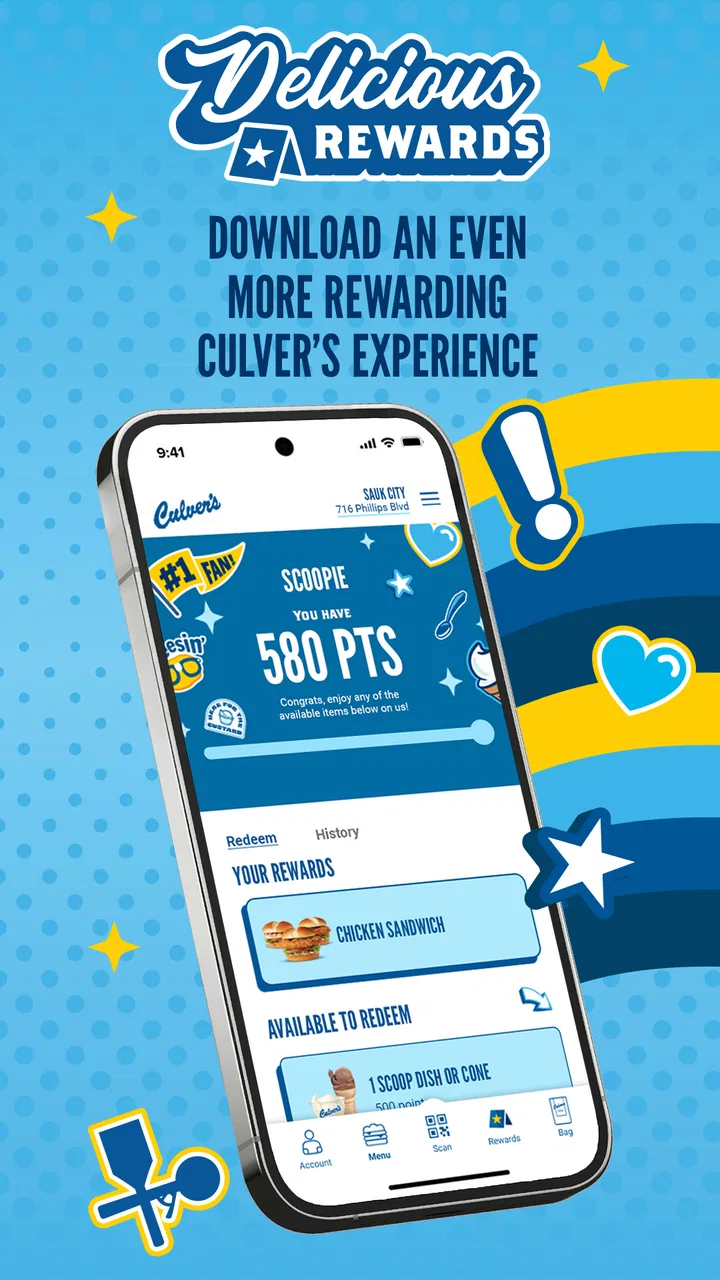
The rewards element adds an immediate reason to create an account and return to the app. I like that the app connects the practical action—placing an order—with a longer-term incentive. It gives repeat customers something to check rather than treating the app as a one-time digital menu. Still, rewards only matter if I visit often enough to use them. Someone who stops by Culver’s a few times a year may find the extra account step less worthwhile.
During the first week, I would recommend setting up the app before I am already hungry and standing in a parking lot. That small bit of preparation makes the experience smoother. I can look through the menu, decide whether the app fits the visit, and avoid learning the ordering flow under pressure. This is one of those apps that feels better when used proactively than when downloaded at the exact moment I need food.
The current release is version 2.1.1, and it supports devices running Android 7.0 or newer. That gives it a broad reach for Android users with older phones, although the actual comfort of using it will still depend on the phone’s screen, speed, and connection. The app is rated for Everyone, which fits its straightforward restaurant-ordering purpose.
What ordering ahead changes in everyday use
Ordering ahead is more than a shortcut to the checkout screen. It gives me a chance to review the meal as a complete order before committing. That is useful when I am ordering for more than one person, because I can catch a missing side or an incorrect drink choice before I arrive. The calmer pace also makes it easier to avoid impulse additions that happen when I am making decisions quickly at the counter.
There is a trade-off, though. Planning ahead removes some flexibility. If my plans change, the order is no longer just a casual intention; it becomes something I have arranged around. I would not place an order too early if I am unsure when I will reach the restaurant. The app is most helpful when my route and timing are reasonably clear.
I also see value in using it for repeat meals. If I tend to order a familiar combination, the app can reduce the mental work involved in starting from scratch. That is a less obvious advantage than simply “saving time”: the app can become a small memory aid for a routine meal. It is especially useful when ordering for a household where everyone has a preferred combination and the person placing the order wants to avoid mixing things up.
On the other hand, I would not use it as my main way to discover food in the area. Its focus is Culver’s, not comparing restaurant menus, delivery fees, opening hours, or cuisines in one place. A general food-ordering service is better when convenience means choosing among several restaurants. This app is better when the restaurant decision has already been made.
Month-to-month value: when rewards become more than a novelty
The long-term value depends almost entirely on visit frequency. For a regular customer, rewards can turn ordinary orders into a reason to keep using the official app rather than switching back to the counter. The advantage is cumulative: each visit reinforces the habit of opening the app, checking the order, and keeping the account active.
For an occasional customer, that same system may feel less meaningful. Rewards programs work best when they fit naturally into behavior I already have, not when they pressure me to visit more often just to justify an app. I would not change my restaurant routine solely because the app offers rewards. I would use the rewards as a bonus attached to purchases I was already planning to make.
My practical advice is to treat the rewards area as a reminder, not a reason to spend. Before ordering, I would check whether there is a reward available and whether it suits the meal I actually want. That prevents a common mistake with loyalty programs: choosing something unnecessary just because it appears to be a better deal. The app is most valuable when the reward reduces the cost or effort of a normal visit without changing my plans.
The scale of the app suggests that this is not a niche experiment. It has more than one million installs, an average rating of 3.2 from around one and a half thousand ratings, and 942 written reviews. I read that combination as a sign of a useful but uneven experience: enough people find a reason to install it, while the middling rating suggests that convenience does not feel equally smooth for everyone.
I would not interpret the rating as a simple verdict on the food or the restaurant. An ordering app can be judged on store selection, timing, account handling, order accuracy, and the handoff at pickup, all of which affect how useful it feels. For me, the important takeaway is to keep expectations practical. This is a tool for a Culver’s visit, not a guarantee that every part of the visit will be frictionless.
The maintenance burden is small, but not invisible
Keeping the app installed requires very little effort if I use Culver’s regularly. I would keep my account details current, glance at rewards before ordering, and update the app when a new version is available. That is a manageable routine, especially compared with apps that demand constant notifications or daily engagement.
The maintenance becomes less attractive when visits are rare. An unused restaurant app can become digital clutter, particularly if I already have several food and loyalty apps competing for attention. In that situation, I would rather install it when I expect to place several orders and remove it later if it no longer earns its space.
Notification discipline also matters. I prefer to allow only messages that help with an active order or a reward I might realistically use. If the app becomes noisy, the convenience disappears into a stream of reminders. The best long-term setup is quiet: open it when I need to order, check what is relevant, and return to it when the next visit makes sense.
Another maintenance issue is habit accuracy. If I normally order from one Culver’s location but occasionally use another, I would pay close attention to the selected restaurant before finalizing anything. A small location mistake can undermine the entire point of ordering ahead. This is the kind of detail that is easy to overlook when I am rushing, so I make checking the pickup location part of my routine.
I also recommend reviewing the complete order before sending it, even when I am repeating a familiar meal. A saved or remembered pattern can be convenient, but it can also encourage automatic tapping. Taking a few seconds to verify the main item, sides, drinks, and any changes is a better habit than assuming the previous order is still exactly what I want.
Where fatigue starts after the novelty fades
The first source of fatigue is repetition. Once I know what I usually order, opening an app can feel like an extra layer between me and a simple meal. If the counter is empty and I am already inside the restaurant, ordering in person may be faster than unlocking my phone, navigating the app, and waiting for the order process to finish.
The second is dependence on timing. Ordering ahead is helpful only when the pickup plan matches reality. Traffic, a delayed meeting, an unexpected change of route, or a longer-than-expected stop can make a carefully planned order feel inconvenient. I would avoid treating the app as a precise scheduling system and instead use it when I have enough flexibility around arrival.
There is also a psychological cost to loyalty programs. Checking rewards can make a normal order feel like a small optimization task. I do not want to compare every option or calculate whether a reward is worth changing my meal. If the app encourages that kind of overthinking, I stop using the rewards section as a benefit and return to ordering what I actually want.
The middling user rating reinforces my cautious approach. An app can be valuable in principle and still disappoint when a particular order does not go smoothly. I would judge it over several normal visits rather than deleting it after one awkward moment, but I would also avoid assuming that the digital process automatically improves the restaurant experience. The app organizes the order; it does not remove every variable involved in pickup.
For users who prefer delivery, broad restaurant comparison, or a single wallet for many loyalty programs, another service may be a better fit. The same is true for people who rarely eat at Culver’s. The official app’s narrow focus is an advantage for loyal customers and a weakness for anyone who wants a universal food-ordering tool.
Who should keep it installed?
I think the app earns a permanent place on the phone of someone who visits Culver’s regularly, often orders for a family or group, and values preparing the meal before arriving. That person can benefit from both sides of the app: order-ahead convenience for immediate visits and rewards for repeat use.
It is also a good match for people who dislike making food decisions in a crowded counter line. Browsing earlier, checking the order carefully, and arriving with a plan can make the whole stop feel less rushed. The app is not complicated in concept, but its value comes from moving decisions into a calmer part of the day.
I would be more hesitant to recommend it to someone who visits only occasionally, prefers spontaneous ordering, or wants to compare multiple restaurants from one screen. It is also not the first choice for a person who does not want another account or loyalty routine. Free installation removes the financial barrier, but it does not remove the time and attention required to maintain another app.
One useful way to decide is to look at the last few Culver’s visits. If I repeatedly wished I had ordered before arriving, the app addresses a real problem. If I never waited, never ordered for others, and rarely visited, it probably solves nothing important. That test is more reliable than downloading it simply because it is free.
My long-term verdict on recurring value
Culver’s succeeds when I use it as a quiet utility rather than an entertainment product. Its lasting appeal comes from a repeatable workflow: choose the restaurant, prepare the order, check the details, arrive with a plan, and look at rewards without letting them dictate the meal. That workflow is simple enough to become a habit for regular customers.
I would not call it essential for every Culver’s visitor. The app’s narrow purpose means that its value rises and falls with how often I eat there and how much I care about ordering ahead. The average rating of 3.2 is a useful reminder to keep expectations grounded: the idea is convenient, but the experience may not feel equally polished in every situation.
Still, I think the free price makes trying it reasonable for anyone who already visits the restaurant often. I would give it a few normal orders rather than judging it from a single rushed test. If order-ahead genuinely saves me effort and the rewards fit meals I would buy anyway, I would keep it installed. If I find myself opening it only to browse, checking rewards I never use, or planning around orders that are less flexible than expected, I would go back to ordering at the restaurant.
My final recommendation is therefore conditional but positive: keep it if Culver’s is part of your routine, not merely part of your occasional plans. As a focused Food & Drink app developed by Culver's, it does not need to do everything. It needs to make repeat visits easier, and for the right customer, ordering ahead plus a usable rewards habit is enough to justify the space on the phone.
FAQs for Culver's
01What is Culver's app and what features does it offer?
The Culver's app is a convenient tool for fans of the restaurant chain, offering features such as menu browsing, nutritional information, location finding, and online ordering. Users can customize their orders and access exclusive deals and promotions. The app also provides updates on new menu items and seasonal offerings.
02How user-friendly is the Culver's app interface?
The app boasts an intuitive and user-friendly interface, designed to make navigation effortless for all users. It features clearly labeled icons and menus, ensuring that even first-time users can easily find their way around. The ordering process is streamlined, with step-by-step instructions and options for customization.
03Does the Culver's app support mobile ordering and curbside pickup?
Yes, the Culver's app supports mobile ordering, allowing users to place orders directly from their smartphones. It also offers curbside pickup, providing users with a contactless and convenient way to receive their meals. The app notifies users when their order is ready for pickup, minimizing wait times.
04Are there any exclusive deals or rewards available through the Culver's app?
The Culver's app offers exclusive deals and rewards to its users, such as discounts, promotions, and loyalty points for frequent purchases. By using the app, customers can stay updated on the latest offers and redeem rewards directly from their mobile devices, enhancing their overall dining experience.
05Is the Culver's app available for both Android and iOS devices?
Yes, the Culver's app is available for download on both Android and iOS platforms. Users can find it on the Google Play Store for Android devices and the Apple App Store for iOS devices. The app is regularly updated to ensure compatibility with the latest operating systems and to improve performance.
Pros
- User-friendly interface with intuitive design.
- Extensive menu with detailed descriptions.
- Fast and efficient order processing.
- Customizable order options for preferences.
- Loyalty rewards program with great perks.
Cons
- Limited delivery options in some areas.
- Occasional app glitches and crashes.
- Requires frequent updates for stability.
- Some items unavailable for mobile ordering.
- In-app navigation can be confusing at times.

Culver's
Gallery